Blog Archive

Showing posts with label new technologies for teaching English. Show all posts

Saturday, April 2, 2016

Intro: A Dinosaur In A New Technologies World


Hi! My name is Sheila and I'm originally from California, though I've lived all over the world (or at least it feels that way!) I'm studying a Master's in Secondary Education at the Public University of Navarre (UPNA), in Pamplona, Spain. Fingers crossed, I'll soon be a high school English teacher!

This blog is a learning diary for one of the courses I'm taking at UPNA about new technologies for language teaching and learning. Here I'll explore what I've learned about working with new technologies and how to take the best advantage of what they have to offer for teaching English to EFL learners.

I half-jokingly titled this introduction A Dinosaur In A New Technologies World because I'm coming to English teaching at a later age than most (well, all!) of my classmates, and sometimes I really do feel like a fish out of water- an ancient soul from a by-gone era. The first time I studied at university hardly anyone even used a computer! And the library was where we got all of the info we needed for our research!

Times have changed, as they say, and obviously things have come a long way since then. I'm excited about learning new skills and different ways that technology can be used to enhance the teaching and learning experience.

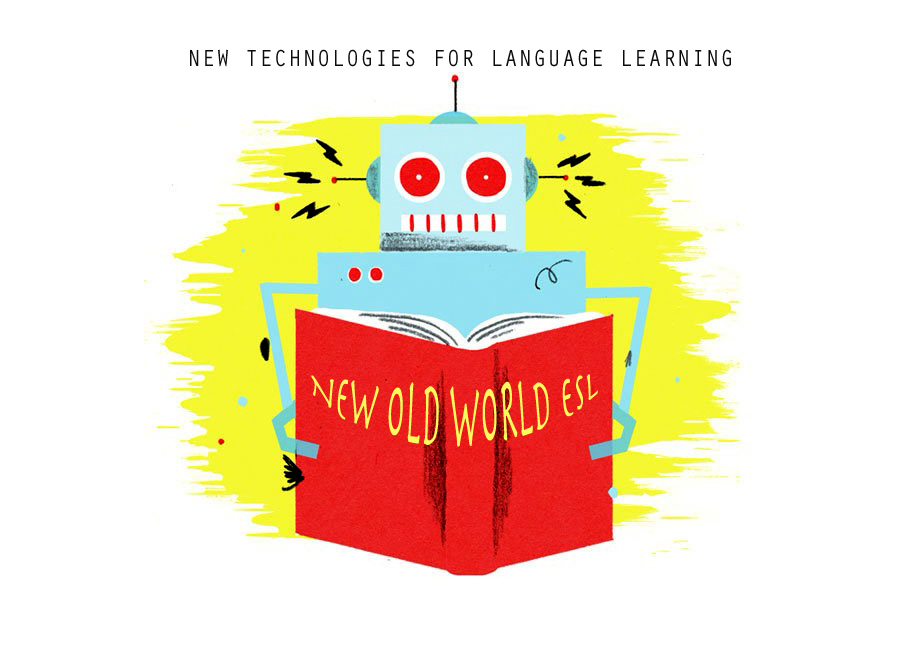
In "America", we always refer to Europe as "The Old World," since so many of the first immigrants to arrive to the US came from European countries in order to seek a better life in the new world. Now I'm the new immigrant in this old world, colliding with all of the high speed technologies of a global culture. Thus, my blog's title: New Old World ESL. I'm hoping to combine the best of the new that technology has to offer, while still keeping my feet grounded in the old school wisdom of language teaching and learning. 

Let the fun begin!

Thursday, March 31, 2016

Class 2: Blogs, Correcting In Word, Quizlet, Kahoot & Hot Potatoes- January 19, 2016


It's been a busy week in the new technologies class! Firstly, we had an assignment to create a blog using blogger or Word Press. After trying both options, I chose blogger, as I've been using it for many years for a photography blog I have and I'm very happy with the interface. To be perfectly honest, I couldn't access Word Press properly on my old Mac that has outdated programs. One of the challenges I've encountered in using "new" technologies with an "old" technologies computer is that many new sites won't even open when I try to enter them! In any case, I'm happy with my blogger blog, and I've spent a lot of time creating the design and writing my first entries.
We also had a reading, and the task of registering as users on all of the sites we'll be accessing in the coming weeks. I can see that this class will demand a lot of time and attention, but that it should be a worthy investment.

In class today we started with some features in WORD that are very useful tools for teachers. Camino, our teacher, showed us how to make corrections and add commentaries, so that you can directly give students feedback within the document. This was something that I hadn't used in WORD before and which I was very happy to learn about.
To practice using the commentary feature, Camino had us visit different resource websites for English and write an analysis, working from a common document in our class folder in Google Drive. It was a good way to apply what we learned directly, though I found that with so many varying and lengthy comments the commentary feaure could get a little out of control. I found it impractical to click on each comment, and was sort of missing a more traditional style comment sheet. So, I do think this feature is excellent for making comments on an individual student's writing, especially if the corrections or comments are brief, but for longer commentaries I prefer a separate document, or notes added at the bottom.

The next part of the class was super energetic and fun. Camino showed us Kahoot and had us do a competition, about the previous week's reading, on kahoot.it (which allows students or players to access the games created by the teacher). We all got very into it, and it was eye opening to see the possibilities for using this kind of game in class to review lessons. I definitely think this use of technologies has the potential to be very motivating for students.
Next we created study sets on Quizlet, a very useful site that is great for creating matching activities. I liked that you can use pictures from the site, or upload your own. I especially like the audio feature, and that you can create listening/spelling activities. It's a fun way of learning and reviewing new vocabulary and  I'll definitely use Quizlet to create materials for my students!
Finally we learned about creating different types of activities on Hot Potatoes. It seems like a really great tool- you can create crosswords, clozes, matches, and mixed sentences. Exercises can be saved and/or printed, which is a real plus. The only criticism I have is that the website seems old and is not as visually appealing as Quizlet. I would like to explore it more before deciding to use it or not.

Tuesday, March 29, 2016

Class 4: Lyrics Training, Interactive White Boards, Animoto, Story Jumper, Pow Toon & Moovly- February 2, 2016


If last week's class was jam packed, today's was even more so! Class started with a lesson about Lyrics Training, a program which helps students improve their listening skills by filling in gap words while listening to a song and watching a video.  It has 4 different levels: beginner, intermediate, advanced and expert. I tried the intermediate level with a song, and even had a challenge with a few of the words, so I can imagine how hard it can be for students! This is a program that I will certainly use with secondary school students, as kids like and connect with music so much, and it's a great way of getting them interested in improving their English! There are more than 30 different genres to choose from- everything from folk to hip-hop to country or punk. I had a lot of fun with it and want to try more songs!

Camino gave us an introduction to interactive white boards, giving us some good advice, asking "What is the advantage of using the technology?" She added that anytime you introduce a new technology it's more work, so it needs to have an advantage, and that the advantage of white boards is movement, and that we should take advantage of this feature. She also showed us how we could use Debut to record everything done on the whiteboard, which could be useful for reviewing lessons or evaluating students' work. 


At UPNA the program used for creating white board lessons is E-beam, and we learned how to use that tool so that we can create a lesson in groups for the next class. We had time to practice with the white board and I must say that it's super fun to use and seems to offer a lot of possibilities for creating dynamic activities.
Next we quickly moved through several programs- Animoto, Story Jumper, Pow Toon, and Moovly- for creating animated videos and story books. I find these programs to be super appealing, but also think that they are incredibly time-consuming! I imagine myself spending 20 hours just to create an animated video! And although that's probably not necessary, I'm almost certain that I would invest way too much time and effort, especially with Moovly and Pow Toon. On the other hand, I think students would be super enthusiastic to use these programs, and I can see their application in the classroom as introducing something fun and creative that encourages students' self-expression.

Saturday, March 26, 2016

Class 5: Interactive Whiteboards, Excel For Grading, Edmodo, Encuesta Facíl, Survey Monkey-February 8, 2016


Another intense class, but I can see that things are winding down. We started out today's session with showing our white board activities, and it was really great to see what everyone had done and how they'd taken advantage of the best points of this tool. One group created a CLIL type lesson about weather and they had an activity in which students had to create weather maps and then do a news-style weather report. I can really see how fun this technology can be to use in class. Another group cut up different fashion or celebrity images so that students had to unscramble them and put them in the right order. It was designed to review adjectives and clothing vocabulary. The third group created a crossword puzzle and word search, which was fun to use in this format. And finally, my group made an activity about a recipe that started with a listening taken from BBC English. Students then had to choose the photos of the ingredients and utensils used in the recipe, and finally they filled in missing words to complete the recipe. I thought all of the activities were clever and effective uses of white board technology, but the main question that arose was how to engage the whole class at the same time. What do the students who don't have the white board pen do while only one or 2 are at the board? All in all, I think I'd love to work with a white board in a classroom setting, keeping in mind which activities can benefit from it's movement feature. 

Next we worked with Excel to create a grading sheet. Oh Excel, you make me dizzy! Camino assured us that it's really easy once you understand, but I have yet to experience an epiphany when it comes to using this tool.

We also learned about different digital classroom and learning platforms and ways of creating online quizzes and surveys (Edmodo, encuesta facil, and survey monkey). These tools seem really incredible, once you get the hang of it, and I'm sure teachers and students will be using them more, flip-classroom style, in the future. 

My favorite activity from today was seeing my classmates' whiteboard activities. I definitely learn by example. Really inspiring!

Sunday, March 20, 2016

Class 6: Symbaloo, Edmodo, Portfolio, Hurray!- February 9, 2016


Well, the last class has finally arrived and we will be on our way to becoming working teachers soon! 

Today we learned about a tool that I think is one of the most useful ones for teachers- Symbaloo- an individualized digital platform for saving and organizing bookmarked links. It sound simple, and it really is, but I feel so happy to know that I can organize all of my bookmarks and links in one easy-to-access place! I really enjoyed setting up my Symbaloo account, and I already feel like my life has changed for the better. Yayyyy Symbaloo!

Camino also showed us some things about Edmodo that will be useful. We learned how to set the language and how to set up groups or classes so that we could communicate and give assignments via the platform. I really like that there are digital learning environments like Edmodo that are password protected spaces so that you can present materials without worrying about violating students' privacy.

We also looked at and worked with webnode, a platform for creating web pages that seems quite handy  and easy to use.

Finally, Camino explained the portfolio that we have to turn in at the beginning of April. So this isn't exactly the end after all!